Best use case
iblai-readme is best used when you need a repeatable AI agent workflow instead of a one-off prompt.
Write or refresh the README.md
Teams using iblai-readme should expect a more consistent output, faster repeated execution, less prompt rewriting.
When to use this skill
- You want a reusable workflow that can be run more than once with consistent structure.
When not to use this skill
- You only need a quick one-off answer and do not need a reusable workflow.
- You cannot install or maintain the underlying files, dependencies, or repository context.
Installation
Claude Code / Cursor / Codex
$curl -o ~/.claude/skills/iblai-readme/SKILL.md --create-dirs "https://raw.githubusercontent.com/iblai/vibe/main/skills/iblai-readme/SKILL.md"
Manual Installation
- Download SKILL.md from GitHub
- Place it in
.claude/skills/iblai-readme/SKILL.mdinside your project - Restart your AI agent — it will auto-discover the skill
How iblai-readme Compares
| Feature / Agent | iblai-readme | Standard Approach |
|---|---|---|
| Platform Support | Not specified | Limited / Varies |
| Context Awareness | High | Baseline |
| Installation Complexity | Unknown | N/A |
Frequently Asked Questions
What does this skill do?
Write or refresh the README.md
Where can I find the source code?
You can find the source code on GitHub using the link provided at the top of the page.
SKILL.md Source
# /iblai-readme
Write or refresh the project's `README.md` in the standard ibl.ai format —
the same shape used by [`iblai/vibe-starter`](https://github.com/iblai/vibe-starter)
and the reference apps in [`iblai/vibe`](https://github.com/iblai/vibe).
The README tells humans what the project is, how to run it, how to build
native shells, how to ship releases, and how to contribute — with
consistent section headings, badges, and conventions across every ibl.ai
app.
## What This Skill Does
1. Read `package.json` to derive the project name, version, description,
and scripts (`dev`, `build`, `start`, `release`).
2. Detect which features are wired (auth, chat, analytics, native builds,
Docker) by inspecting source files and dependencies — only document
what's actually present.
3. Check whether `README.md` already exists.
4. If it exists, **merge** the standard sections into it (do not clobber
custom prose the maintainers wrote). Replace stale ibl.ai sections with
the updated versions below.
5. If it does not exist, **create** it from the full template below.
6. Verify there are no broken internal links (`docs/screenshots/...`,
`CLAUDE.md`, `AGENTS.md`) and warn the user about any that are missing.
## Step 0: Inspect the Project
Before writing, gather these inputs:
| Source | Reads |
|--------|-------|
| `package.json` | `name`, `version`, `description`, `scripts.{dev,build,start,release}` |
| `iblai.env` | `DOMAIN`, `PLATFORM`, presence of `VERCEL_TOKEN` |
| `Dockerfile` | Presence → include the **Docker** section |
| `next.config.{ts,mjs,js}` | `output: 'export'` → static mode; otherwise server mode (for the Vercel section copy) |
| `src-tauri/tauri.conf.json` | Presence → include the **Native builds** section AND keep the **Deploy to Vercel** section (mobile dev builds use the Vercel URL) |
| `app/(onboarding|onboarding)/`, `app/sso-login*` | Presence → list under features |
| `CLAUDE.md` / `AGENTS.md` | Presence → cross-link them |
| `docs/screenshots/*.png` | Use existing names; do NOT invent missing files |
Do NOT invent feature rows for surfaces that don't exist. The feature
table should mirror what the codebase actually ships.
## Step 1: Check for Existing README.md
Read `README.md` in the current working directory. If it exists:
- Preserve any **custom narrative** (e.g. company-specific context, a
"What is X" paragraph, hand-written contributing guidelines).
- Replace standardized sections (badges, "Quick Start", "Built With",
"Native builds", "Project Structure", "Releasing") with the templates
below — these go stale fast and should track the canonical format.
- If a `## ibl.ai` boilerplate section exists from a prior run, replace
it with the updated version below.
If `README.md` does not exist, write the full template.
## Step 2: Write the README Content
The template below mirrors the standard ibl.ai README. Adapt the
placeholders in `{{ ... }}` to the values you derived in Step 0, drop
sections whose features aren't present (Docker, Native builds,
Releasing), and keep the section order.
---
### Template
```markdown
<div align="center">
<a href="https://ibl.ai"><img src="https://ibl.ai/images/iblai-logo.png" alt="ibl.ai" width="300"></a>
# {{ Project Title }}
{{ One-sentence tagline, under 140 chars. }}
[](https://nextjs.org)
[](https://www.typescriptlang.org)
[](https://tailwindcss.com)
[](https://claude.ai)
</div>
---
## What is {{ Project Title }}
{{ 2-3 sentence project pitch. Mention `@iblai/iblai-js` and `iblai.app`. }}
| Feature | Description |
|---------|-------------|
{{ One row per real feature in the codebase. Examples:
| **Chat** | Full agent chat at `/platform/{tenant}/{mentor}` via the SDK `<mentor-ai>` web component — streaming, sessions, files, voice |
| **Explore Agents** | Browse starred / featured / custom / community agents with the SDK `<AgentSearch>` component |
| **Edit Agent** | Per-agent dialog wired to the SDK `Agent*Tab` components (Settings, LLM, Prompts, Tools, Memory, Safety, History, Datasets, API, Embed) |
| **Profile** | Edit basic info, social links, education, experience, resume, and avatar |
| **Account** | Organization settings, user management, integrations, advanced, and billing tabs |
| **Analytics** | Agent and learner analytics dashboards (usage, courses, programs, users, topics, transcripts, financial, reports) |
| **Notifications** | Header dropdown showing recent notifications and unread badge |
| **Tenant Switching** | Switch between organizations from the avatar dropdown |
| **SSO Authentication** | Login via iblai.app — no tokens to manage |
}}
{{ Reference 1-3 screenshots from `docs/screenshots/`. Drop this block if
none exist. }}

## AGENTS.md / CLAUDE.md
Please refer to `CLAUDE.md` at the repository root for component priorities,
SDK import conventions, and the env-setup flow Claude Code should follow
when running the app for the first time.
## Quick Start
### Prerequisites
- Node.js 18+
- pnpm (fall back to npm only if unavailable)
- An ibl.ai platform login (or a tenant you can SSO into via [iblai.app](https://iblai.app))
- The `iblai` CLI — install from source (see below)
### Install the `iblai` CLI
The CLI is installed from source via `make`. `clone + make install` is
the supported install path — the version you run tracks the templates
the team is editing.
**macOS / Linux** (Python 3.11+, pip, git, make):
```bash
git clone https://github.com/iblai/iblai-app-cli.git
cd iblai-app-cli
make -C .iblai install
cd - # back to your project
```
If `iblai` isn't found afterwards, add `~/.local/bin` to your `PATH`:
```bash
export PATH="$HOME/.local/bin:$PATH" # add to ~/.bashrc or ~/.zshrc to persist
```
**Windows** (Python 3.11+, pip, git):
```powershell
git clone https://github.com/iblai/iblai-app-cli.git
cd iblai-app-cli
pip install -e .iblai/
cd -
```
If `iblai` isn't found, ensure Python Scripts is on `PATH` (typically
`%APPDATA%\Python\Python311\Scripts\`).
Verify the install:
```bash
iblai --version
```
### Install & Run
```bash
pnpm install
pnpm dev
```
Open [http://localhost:3000](http://localhost:3000). {{ One sentence on
what happens after the first request — e.g. SSO redirect / home redirect
to a default route. }}
`.env.local` is already populated with the iblai.app endpoints — no
manual platform credentials are needed up front.
### Build
```bash
pnpm build
pnpm start
```
{{ INCLUDE if `Dockerfile` exists }}
### Docker
```bash
docker build -t {{ image-name }}:{{ version }} {{ flags }} .
docker run -p {{ port }}:{{ port }} \
-e NEXT_PUBLIC_API_BASE_URL=https://api.iblai.app \
-e NEXT_PUBLIC_AUTH_URL=https://login.iblai.app \
-e NEXT_PUBLIC_PLATFORM_BASE_DOMAIN=iblai.app \
{{ image-name }}:{{ version }}
```
{{ INCLUDE this **Deploy to Vercel** subsection whenever the project
can ship a Vercel deployment (it covers both static `output: 'export'`
Tauri shells and server-rendered Next.js apps — the CLI auto-detects).
Drop only if the project is explicitly self-hosted with no Vercel
target. Full guide:
[`/iblai-ops-deploy`](https://github.com/iblai/vibe/blob/main/skills/iblai-ops-deploy/SKILL.md). }}
### Deploy to Vercel
```bash
iblai deploy vercel
```
The CLI auto-detects the deploy mode from `next.config`:
- **Static mode** (`output: 'export'` — Tauri shells, fully-prerendered
apps) builds the frontend, writes `out/vercel.json` with `cleanUrls`
+ SPA rewrite, deploys `out/`, disables Vercel auth / password
protection, and (if Tauri is set up) updates
`src-tauri/tauri.conf.json` `devUrl` with the deployment URL.
- **Server mode** (no `output: 'export'` — Next.js with server
actions, dynamic routes, API routes) deploys the repo root to Vercel
for a remote build, disables Vercel auth / password protection,
uploads env vars from `.env.local` to production + preview
(`NEXT_PUBLIC_*` as `plain`, the rest as `encrypted`; reserved keys
and `your-…` placeholders are skipped), and reruns the deploy with
`--force` + `VERCEL_FORCE_NO_BUILD_CACHE=1` whenever env vars
changed so the new `NEXT_PUBLIC_*` values are re-inlined into the
client bundle.
Override detection with `--mode static` or `--mode server` when
needed.
**Setup:** generate a Vercel token at
[https://vercel.com/account/tokens](https://vercel.com/account/tokens)
and add it to `iblai.env`:
```bash
echo 'VERCEL_TOKEN=<token>' >> iblai.env
```
**Going back to local** (Tauri dev builds): remove `devUrl` from
`src-tauri/tauri.conf.json` and the WebView loads local static files
again.
> **Tip:** You can change the vercel domain name by clicking on the three-dot button on your Vercel project on [`vercel.com`](https://vercel.com) and select "Manage Domains".
{{ INCLUDE if `src-tauri/tauri.conf.json` exists. Mirror the structure
in `/iblai-ops-build` — one subsection per platform (iOS / Android /
macOS / Linux / Surface), each with a screenshot and the relevant
`iblai builds …` commands. Do NOT duplicate the full skill — keep
each platform to ~6–8 lines and link to the canonical guide. }}
### Native builds (iOS, Android, macOS, Linux, Surface)
Wrap the app in a native shell with [Tauri v2](https://tauri.app) using
the `iblai builds` family of commands (full guide:
[`/iblai-ops-build`](https://github.com/iblai/vibe/blob/main/skills/iblai-ops-build/SKILL.md)).
{{ Include only the platforms the project actually targets. Each
subsection follows this pattern:
#### iOS
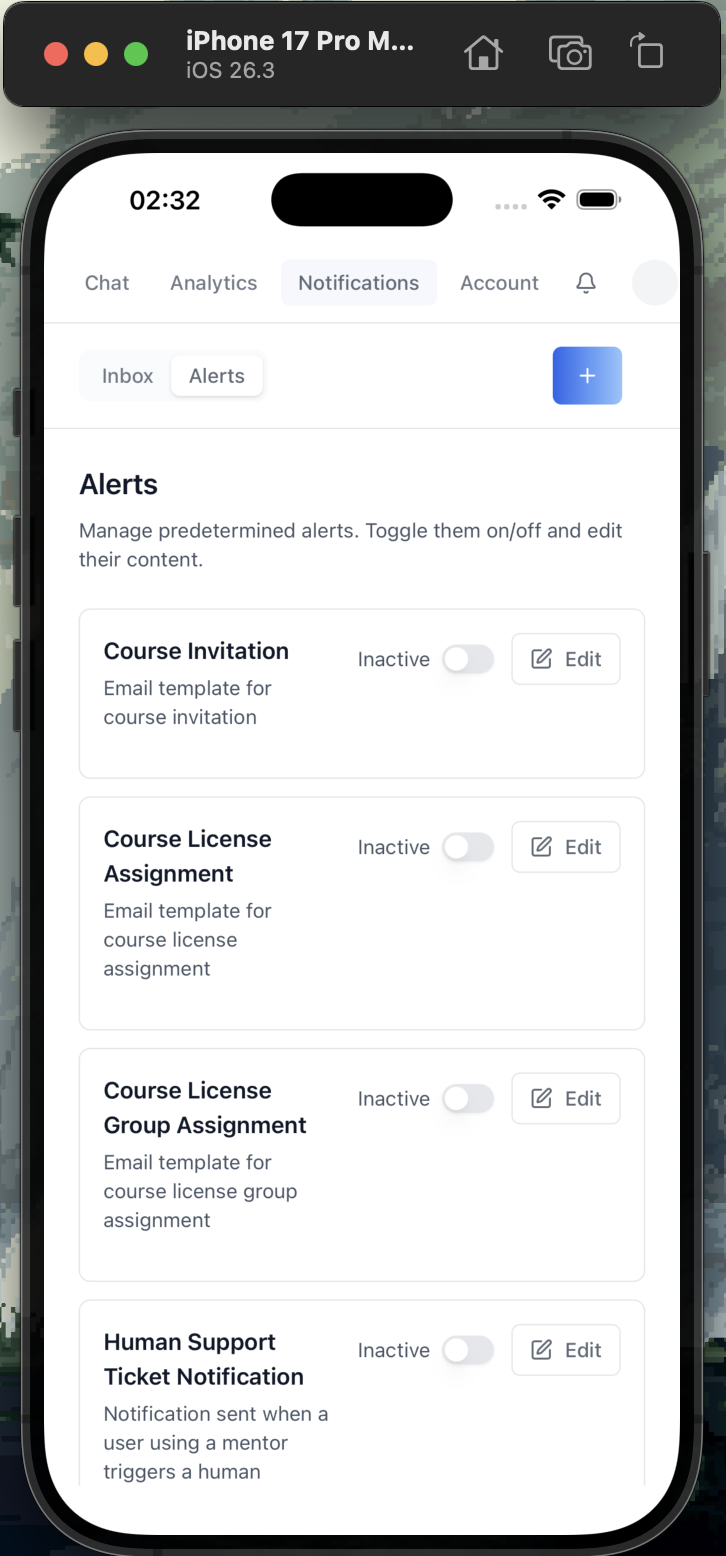
```bash
rustup target add aarch64-apple-ios aarch64-apple-ios-sim
iblai builds ios init # one-time
iblai builds device # list simulators
iblai builds ios dev "iPhone 16 Pro Max" # run on simulator
iblai builds ios build # produce .ipa
iblai builds ci-workflow --ios # generate App Store CI
```
}}
{{ INCLUDE if `package.json` has a `release` script using release-it }}
### Releasing
Releases are automated via [`release-it`](https://github.com/release-it/release-it)
+ GitHub Actions. {{ Brief description of the release flow — pushes to
main, version bumps, CHANGELOG, GitHub Release, Docker image build, etc. }}
## Project Structure
```
{{ Tree of `app/`, `components/`, `lib/iblai/`, `providers/` —
showing only directories and the most important files. Trim to fit
on one screen. }}
```
## Built With
- [Next.js](https://nextjs.org) — App Router
- [@iblai/iblai-js](https://www.npmjs.com/package/@iblai/iblai-js) — SDK for auth, UI components, and data
{{ Add `@iblai/iblai-web-mentor`, `<mentor-ai>` etc. only if used }}
- [Tailwind CSS](https://tailwindcss.com) — utility-first styling with ibl.ai design tokens
- [shadcn/ui](https://ui.shadcn.com) — accessible UI primitives
- [iblai.app](https://iblai.app) — production backend for auth, AI agents, billing, and analytics
## Contributing
### Setup
1. Fork the repo and clone it
2. Install dependencies: `pnpm install`
3. Start the dev server: `pnpm dev`
### Development Workflow
1. Create a branch from `main`: `git checkout -b feat/my-feature`
2. Make your changes
3. Run `pnpm build` to verify the build passes
4. Commit and push your branch
5. Open a pull request against `main`
### Guidelines
- **Use ibl.ai SDK components first** — do not build custom components when an SDK equivalent exists
- **Use shadcn/ui for custom UI** — install via `npx shadcn@latest add <component>`, not raw HTML or third-party libraries
- **Do not override SDK styles** — SDK components ship with their own styling
- **Use SDK design tokens** — reference CSS variables like `var(--primary-color)`, `var(--border-color)`, `var(--text-secondary)` instead of hardcoded colors
- **Use `pnpm`** as the package manager
### Adding Features
Use the iblai CLI and Claude Code skills to add new features:
```bash
iblai add auth # SSO authentication
iblai add profile # User profile
iblai add account # Account/org settings
iblai add analytics # Analytics dashboard
iblai add notification # Notification bell
iblai add invite # Invite dialogs
```
See `CLAUDE.md` for the full list of skills and component priority rules.
## Resources
- [ibl.ai Documentation](https://docs.ibl.ai)
- [iblai-app-cli](https://github.com/iblai/iblai-app-cli) — CLI for scaffolding ibl.ai apps
- [@iblai/mcp](https://www.npmjs.com/package/@iblai/mcp) — MCP server for AI-assisted development
- [Vibe](https://github.com/iblai/vibe) — developer toolkit for building with ibl.ai
- [Vibe Starter](https://github.com/iblai/vibe-starter) — pre-wired Next.js + ibl.ai SSO template
{{ Add other public repo links the user wants discoverable }}
---
<sub>{{ Optional: a one-line bootstrap credit. Drop if nothing applies. }}</sub>
```
---
## Step 3: Validate Links
After writing, scan the README for paths that should resolve in the repo
and warn the user about any that are missing:
| Path | Required when |
|------|---------------|
| `docs/screenshots/*.png` | The README references screenshots — drop the `<img>` tags if the files don't exist instead of leaving broken links |
| `CLAUDE.md` | Always — link is in the AGENTS.md / CLAUDE.md callout |
| `AGENTS.md` | Optional — only mention it if the file exists |
| `Dockerfile` | If the Docker section is present |
| `src-tauri/tauri.conf.json` | If the Native builds section is present |
| `.github/workflows/release.yml` | If the Releasing section is present |
Do NOT silently add `<img>` tags to files that don't exist. If a
screenshot is missing, drop the line and tell the user which capture is
needed.
## Step 4: Confirm
After writing the file, tell the user:
> Updated `README.md` to the ibl.ai standard format. The badges, Quick
> Start, Native builds, Releasing, Project Structure, and Contributing
> sections are now consistent with `iblai/vibe-starter` and the reference
> apps in `iblai/vibe`. {{ If you skipped any sections (e.g. no
> Dockerfile present) }}, mention them so the maintainers know the
> README adapts as those features land.
## Important Notes
- **Source of truth:** `iblai/vibe-starter`'s `README.md` plus the
per-skill READMEs in `iblai/vibe`. When updating this skill, diff
against the latest `main` of those public repos and pull through
structural changes.
- **Do not reference internal repos.** Only public, open-source
repositories under [`iblai/vibe`](https://github.com/iblai/vibe) and
[`iblai/vibe-starter`](https://github.com/iblai/vibe-starter) are
citable from a generated README.
- **No marketing prose:** Keep claims grounded in what the codebase
actually ships. Don't add features the project hasn't implemented.
- **Badges:** Always include Next.js + TypeScript + Tailwind + Claude
Code. Add other badges (e.g. CI status, npm version) only when they're
meaningful for the project.
- **Screenshots:** Reference real files in `docs/screenshots/`. Don't
generate placeholders — ask the user to capture them.
- **Don't link to non-existent skills:** Cross-references to other
`/iblai-*` skills are fine; cross-references to skills that don't
exist are not.
- **CLI install — clone + make only.** The README's "Install the
`iblai` CLI" section is intentionally limited to the source-clone
path (macOS/Linux: `make -C .iblai install`; Windows:
`pip install -e .iblai/`). Do **not** add `pip install
iblai-app-cli`, `npm install -g @iblai/cli`, or `npx @iblai/cli`
instructions — those install paths exist but tend to install stale
versions out of sync with the templates the team is editing.
- **Deploy to Vercel section.** Always include the **Deploy to Vercel**
subsection unless the project is explicitly self-hosted with no
Vercel target. The `iblai deploy vercel` command auto-detects static
vs. server mode from `next.config`, so the same copy works for both
Tauri shells and server-rendered Next.js apps. See
[`/iblai-ops-deploy`](https://github.com/iblai/vibe/blob/main/skills/iblai-ops-deploy/SKILL.md)
for the full deploy procedure.Related Skills
We are still matching the closest adjacent skills for this page. In the meantime, continue through the full directory.