Meme Factory
When the user wants to create memes, add humor to content, or generate visual aids for social media. Triggers on: "make a meme", "create meme", "meme about", "meme factory", or requests for humor/visual comedy. Supports 100+ templates via the memegen.link API and 15+ textual meme formats in Markdown.
Best use case
Meme Factory is best used when you need a repeatable AI agent workflow instead of a one-off prompt.
When the user wants to create memes, add humor to content, or generate visual aids for social media. Triggers on: "make a meme", "create meme", "meme about", "meme factory", or requests for humor/visual comedy. Supports 100+ templates via the memegen.link API and 15+ textual meme formats in Markdown.
Teams using Meme Factory should expect a more consistent output, faster repeated execution, less prompt rewriting.
When to use this skill
- You want a reusable workflow that can be run more than once with consistent structure.
When not to use this skill
- You only need a quick one-off answer and do not need a reusable workflow.
- You cannot install or maintain the underlying files, dependencies, or repository context.
Installation
Claude Code / Cursor / Codex
Manual Installation
- Download SKILL.md from GitHub
- Place it in
.claude/skills/meme-factory/SKILL.mdinside your project - Restart your AI agent — it will auto-discover the skill
How Meme Factory Compares
| Feature / Agent | Meme Factory | Standard Approach |
|---|---|---|
| Platform Support | Not specified | Limited / Varies |
| Context Awareness | High | Baseline |
| Installation Complexity | Unknown | N/A |
Frequently Asked Questions
What does this skill do?
When the user wants to create memes, add humor to content, or generate visual aids for social media. Triggers on: "make a meme", "create meme", "meme about", "meme factory", or requests for humor/visual comedy. Supports 100+ templates via the memegen.link API and 15+ textual meme formats in Markdown.
Where can I find the source code?
You can find the source code on GitHub using the link provided at the top of the page.
SKILL.md Source
# Meme Factory
Generate memes using the free memegen.link API and textual Markdown meme formats. No API key required.
## Installation
### OpenClaw / Moltbot / Clawbot
```bash
npx clawhub@latest install meme-factory
```
## NEVER Do
- Use spaces in meme URLs without encoding them as `_` or `-`
- Assume a template exists without checking the templates list
- Write more than 2-6 words per line (text becomes unreadable)
- Use the wrong template for the context (e.g., "success" template for failures)
- Omit the file extension in URLs (`.png`, `.jpg`, etc.)
- Forget to encode special characters (`?` → `~q`, `/` → `~s`, `%` → `~p`, `#` → `~h`)
## Quick Start
### URL Structure
```
https://api.memegen.link/images/{template}/{top_text}/{bottom_text}.{ext}
```
**Example:**
```
https://api.memegen.link/images/buzz/bugs/bugs_everywhere.png
```
### Text Encoding
| Character | Encoding |
|-----------|----------|
| Space | `_` or `-` |
| Newline | `~n` |
| Question mark | `~q` |
| Percent | `~p` |
| Slash | `~s` |
| Hash | `~h` |
| Single quote | `''` |
| Double quote | `""` |
## Popular Templates
| Template | Use Case | When To Use |
|----------|----------|-------------|
| `drake` | Comparing options | Rejecting one thing, approving another |
| `buzz` | Ubiquitous things | "X, X everywhere" |
| `success` | Celebrating wins | Positive outcomes |
| `fine` | Problems ignored | Ironic "everything is fine" |
| `fry` | Uncertainty | "Not sure if X or Y" |
| `changemind` | Hot takes | Stating an opinion confidently |
| `distracted` | Priorities | Being distracted by something new |
| `mordor` | Bad ideas | "One does not simply..." |
| `interesting` | Rare occurrences | "I don't always X, but when I do..." |
| `yodawg` | Meta/recursive | "Yo dawg, I heard you like X" |
Full list: https://api.memegen.link/templates/
## Contextual Template Selection
| Context | Template | Why |
|---------|----------|-----|
| Comparing options | `drake` | Two-panel reject/approve format |
| Celebrating wins | `success` | Positive outcome emphasis |
| Problems ignored | `fine` | Ironic calm amid chaos |
| Uncertainty | `fry` | "Not sure if X or Y" format |
| Controversial opinion | `changemind` | Statement + challenge |
| Ubiquitous things | `buzz` | "X, X everywhere" |
| Bad ideas | `mordor` | "One does not simply..." |
## Image Options
### Formats
| Extension | Use Case |
|-----------|----------|
| `.png` | Best quality (default) |
| `.jpg` | Smaller file size |
| `.webp` | Modern, good compression |
| `.gif` | Animated templates |
### Dimensions by Platform
| Platform | Dimensions | Usage |
|----------|------------|-------|
| Social media / Open Graph | `?width=1200&height=630` | Twitter, LinkedIn, Facebook |
| Slack / Discord | `?width=800&height=600` | Chat platforms |
| GitHub | Default | PRs, issues, README |
### Layout Options
```
?layout=top # Text at top only
?layout=bottom # Text at bottom only
?layout=default # Standard top/bottom
```
## Textual Meme Formats (Markdown)
Beyond image memes, create text-based memes directly in Markdown:
- **Greentext** — Code fence with `>` prefixed lines for anon-culture narratives
- **Copypasta** — Dramatic walls of text in code fences
- **Shitpost poetry** — Hard line breaks for comedic timing
- **ASCII art** — Monospaced art in code fences
- **Tumblr chains** — Nested blockquotes for multi-speaker escalation
- **Twitter/X style** — Short blockquote micro-memes
- **Reddit AITA/TIFU** — Heading + paragraphs narrative memes
- **Wojak dialogues** — Bold names + minimal dialogue
- **Discord chat logs** — Code fence with timestamps
- **Corporate satire** — Lists + bold labels for fake official notices
- **Fake wiki/manual pages** — Technical jargon for mundane objects
Full guide with examples: [references/markdown-memes-guide.md](references/markdown-memes-guide.md)
## Validation Checklist
After generating a meme:
- URL returns valid image (test with `curl -I`)
- Text is readable (not too long)
- Template matches the message context
- Special characters properly encoded
- Dimensions appropriate for target platform
## Embedding in Markdown
```markdown
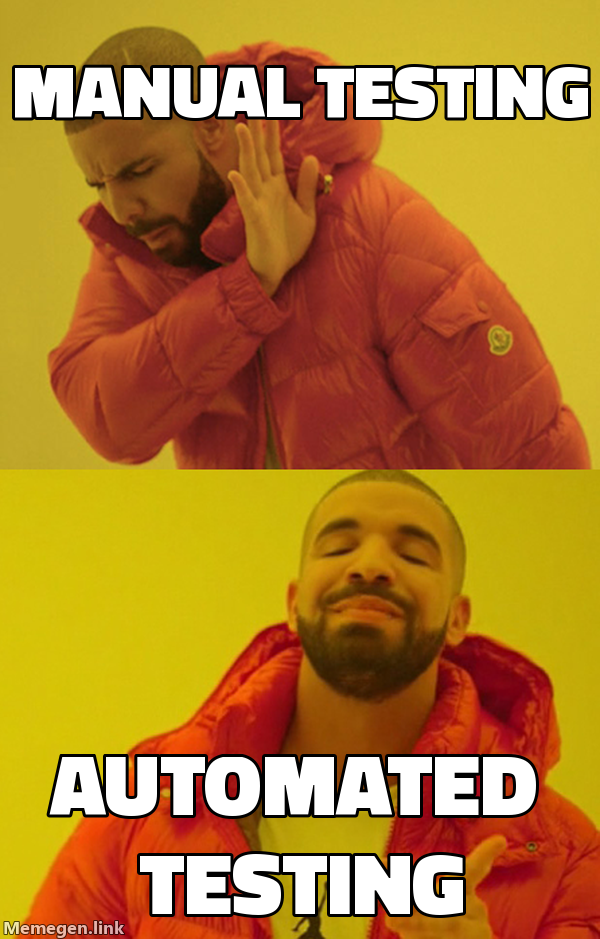
```
Always provide descriptive alt text for accessibility:
- Good: `![Drake rejecting manual testing, approving automated testing]`
- Bad: `![funny meme]`
## Custom Backgrounds
Use any image as a meme background with the `custom` template:
```
https://api.memegen.link/images/custom/top_text/bottom_text.png?style=https://example.com/image.jpg
```
Pair screenshots of apps, dashboards, or charts as backgrounds for contextual humor.
## Mixing Text + Image Memes
For blog posts and documentation, alternate between formats for pacing:
1. **Start with text** (greentext/chat log) to set up context
2. **Follow with image** to amplify the punchline
3. **Close with text** (corporate satire/poetry) for resolution
**Good patterns:** Greentext → Image → Corporate satire, Chat log → Image → Shitpost poetry
**Avoid:** 5 images in a row (visual fatigue), 3 long copypastas back-to-back (reader exhaustion)
## API Reference
| Endpoint | Purpose |
|----------|---------|
| `/templates/` | List all available templates |
| `/templates/{id}` | Template details and example |
| `/fonts/` | Available fonts |
| `/images/{template}/{top}/{bottom}.{ext}` | Generate meme image |
**API characteristics:** Free, open-source, no API key, no rate limiting, stateless, images generated on-demand.
## Python Helper Script
```python
from meme_generator import MemeGenerator
meme = MemeGenerator()
# Generate a basic meme URL
url = meme.generate("buzz", "features", "features everywhere")
# With custom dimensions for social media
url = meme.generate("drake", "old way", "new way", width=1200, height=630)
# Get markdown for embedding
md = meme.get_markdown_image(url, alt_text="Comparison Meme")
# Suggest template based on context
template = meme.suggest_template_for_context("deployment success")
```
## References
| File | Content |
|------|---------|
| [references/markdown-memes-guide.md](references/markdown-memes-guide.md) | 15+ textual meme formats with examples and production tips |
| [references/examples.md](references/examples.md) | Practical usage examples, integrations (Slack, GitHub, Discord) |
### Scripts
| Script | Purpose |
|--------|---------|
| [scripts/meme_generator.py](scripts/meme_generator.py) | Python helper for programmatic meme generation with 20+ templates |Related Skills
theme-factory
Curated collection of professional color and typography themes for styling artifacts — slides, docs, reports, landing pages. Use when applying visual themes to presentations, generating themed content, or creating custom brand palettes. Triggers on theme, color palette, font pairing, slide styling, presentation theme, brand colors.
schema-markup
Add, fix, or optimize schema markup and structured data. Use when the user mentions schema markup, structured data, JSON-LD, rich snippets, schema.org, FAQ schema, product schema, review schema, or breadcrumb schema.
prompt-engineering
Master advanced prompt engineering techniques to maximize LLM performance, reliability, and controllability in production. Use when optimizing prompts, improving LLM outputs, designing production prompt templates, or building AI-powered features.
professional-communication
Write effective professional messages for software teams. Use when drafting emails, Slack/Teams messages, meeting agendas, status updates, or translating technical concepts for non-technical audiences. Triggers on email, slack, teams, message, meeting agenda, status update, stakeholder communication, escalation, jargon translation.
persona-docs
Create persona documentation for a product or codebase. Use when asked to create persona docs, document target users, define user journeys, document onboarding flows, or when starting a new product and needing to define its audience. Persona docs should be the first documentation created for any product.
mermaid-diagrams
Create software diagrams using Mermaid syntax. Use when users need to create, visualize, or document software through diagrams including class diagrams, sequence diagrams, flowcharts, ERDs, C4 architecture diagrams, state diagrams, git graphs, and other diagram types. Triggers include requests to diagram, visualize, model, map out, or show the flow of a system.
game-changing-features
Find 10x product opportunities and high-leverage improvements. Use when the user wants strategic product thinking, mentions 10x, wants to find high-impact features, or asks what would make a product dramatically more valuable.
clear-writing
Write clear, concise prose for humans — documentation, READMEs, API docs, commit messages, error messages, UI text, reports, and explanations. Combines Strunk's rules for clearer prose with technical documentation patterns, structure templates, and review checklists.
brainstorming
Explore ideas before implementation through collaborative dialogue. Use before any creative work — creating features, building components, adding functionality, or modifying behavior. Turns ideas into fully formed designs and specs through structured conversation.
Article Illustrator
When the user wants to add illustrations to an article or blog post. Triggers on: "illustrate article", "add images to article", "generate illustrations", "article images", or requests to visually enhance written content. Analyzes article structure, identifies positions for visual aids, and generates illustrations using a Type x Style two-dimension approach.
subagent-driven-development
Execute implementation plans by dispatching a fresh subagent per task with two-stage review (spec compliance then code quality). Use when you have an implementation plan with mostly independent tasks and want high-quality, fast iteration within a single session.
skill-judge
Evaluate Agent Skill quality against official specifications. Use when reviewing SKILL.md files, auditing skill packages, improving skill design, or checking if a skill follows best practices. Provides 8-dimension scoring (120 points) with actionable improvements. Triggers on review skill, evaluate skill, audit skill, improve skill, skill quality, SKILL.md review.