iblai-ops-build
Build and run your ibl.ai app on desktop and mobile (iOS, Android, macOS, Surface)
Best use case
iblai-ops-build is best used when you need a repeatable AI agent workflow instead of a one-off prompt.
Build and run your ibl.ai app on desktop and mobile (iOS, Android, macOS, Surface)
Teams using iblai-ops-build should expect a more consistent output, faster repeated execution, less prompt rewriting.
When to use this skill
- You want a reusable workflow that can be run more than once with consistent structure.
When not to use this skill
- You only need a quick one-off answer and do not need a reusable workflow.
- You cannot install or maintain the underlying files, dependencies, or repository context.
Installation
Claude Code / Cursor / Codex
Manual Installation
- Download SKILL.md from GitHub
- Place it in
.claude/skills/iblai-ops-build/SKILL.mdinside your project - Restart your AI agent — it will auto-discover the skill
How iblai-ops-build Compares
| Feature / Agent | iblai-ops-build | Standard Approach |
|---|---|---|
| Platform Support | Not specified | Limited / Varies |
| Context Awareness | High | Baseline |
| Installation Complexity | Unknown | N/A |
Frequently Asked Questions
What does this skill do?
Build and run your ibl.ai app on desktop and mobile (iOS, Android, macOS, Surface)
Where can I find the source code?
You can find the source code on GitHub using the link provided at the top of the page.
SKILL.md Source
# /iblai-ops-build Build and run your ibl.ai app on desktop and mobile using Tauri v2. Covers iOS, Android, macOS/Linux desktop, and Surface tablet builds. Before adding build support or running a dev build, **stop all running dev servers** (`pnpm dev`, `next dev`, etc.) to avoid port conflicts. Kill any process on port 3000 before proceeding. When the user asks to add iOS or Android build support, automatically start the emulator/simulator after initialization -- just like you would start `pnpm dev` after adding auth. Run `iblai builds device` to find the available device name, then start the dev build with that device. Do NOT guess device names. Always run `iblai builds device` first and use a device name from the output. ## Prerequisites (All Platforms) - **Tauri support** added to your project: ```bash iblai add builds pnpm install ``` - **Rust toolchain** installed via [rustup](https://rustup.rs) ## How Dev Builds Work All platforms (desktop and mobile) use a static `next build` export. The CLI runs the frontend build automatically before starting the Tauri dev server -- there is no separate `devUrl` or `beforeDevCommand`. The Tauri WebView loads the static files from `../out` on all platforms. For dev builds, you can optionally deploy to Vercel using `iblai deploy vercel` (see `/iblai-ops-deploy`). This deploys `out/` and automatically updates `devUrl` in `tauri.conf.json`. ## Mobile Safe Area The generated CSS includes `padding: env(safe-area-inset-*)` on `<body>` and the layout sets `viewport-fit=cover`. This prevents content from overlapping with the iOS status bar / notch and Android status bar. If you see content behind the status bar, verify: 1. `globals.css` (or `iblai-styles.css`) has `padding-top: env(safe-area-inset-top)` on body 2. `app/layout.tsx` metadata includes `viewport: "width=device-width, initial-scale=1, viewport-fit=cover"` ## Mobile SSO For mobile builds (iOS/Android), the auth redirect must use a custom URI scheme instead of `https://`. Set `TAURI_CUSTOM_SCHEME` in `iblai.env`: ``` TAURI_CUSTOM_SCHEME=myapp ``` This configures: - `NEXT_PUBLIC_TAURI_CUSTOM_SCHEME` in `.env.local` — the frontend uses this to pass `redirect-to=myapp://` to the auth SPA - The Tauri deep-link handler to listen for `myapp://` callbacks Without this, mobile SSO will redirect to an HTTPS URL that stays inside the system browser session and never returns to the app. ## App Icons Generate platform-ready icons from your logo (works for all platforms): ```bash iblai builds iconography path/to/logo.png ``` This creates all required sizes in `src-tauri/icons/`. ## List Available Devices ```bash iblai builds device ``` --- ## iOS 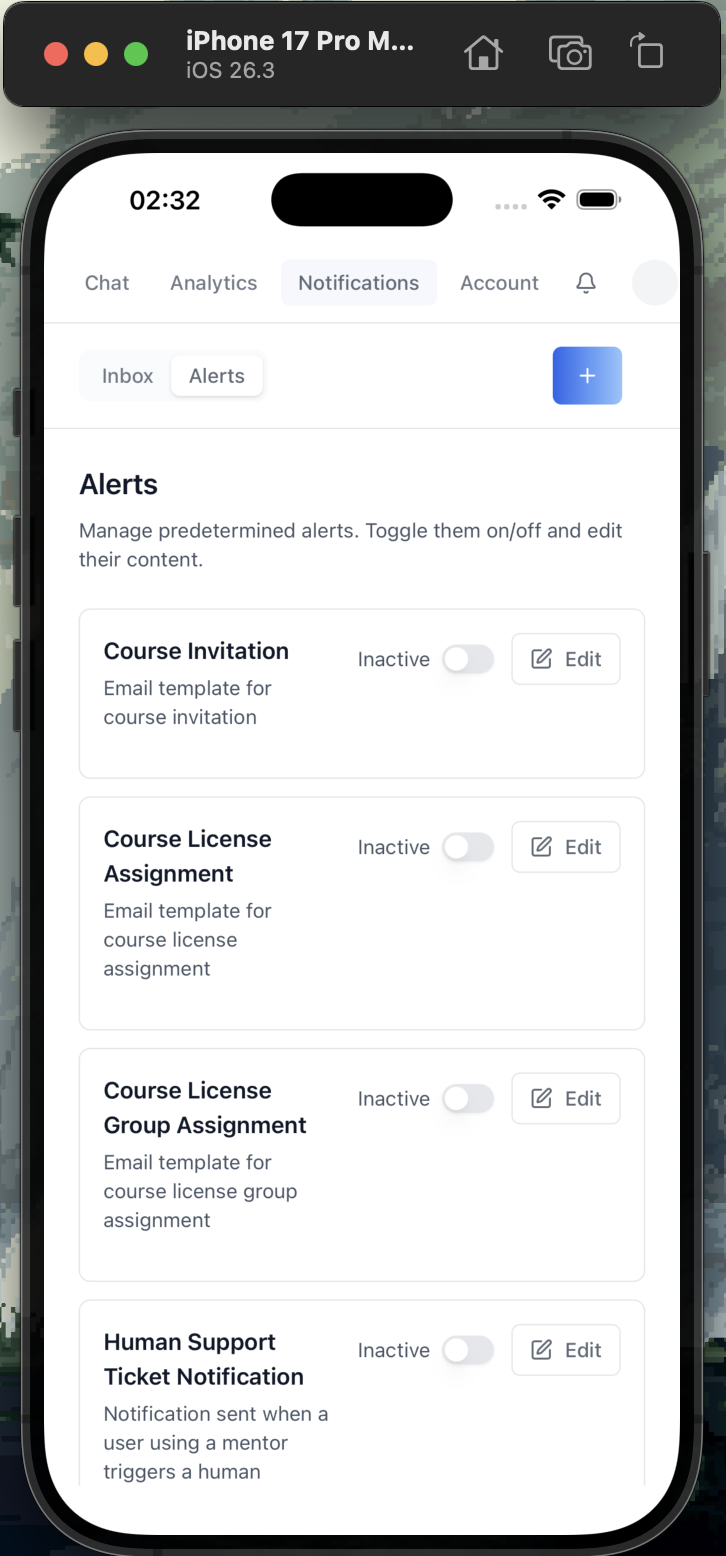 Build and run on iOS Simulator and real devices. ### iOS Prerequisites - **macOS** (iOS builds require Xcode) - **Xcode** installed from the Mac App Store (includes iOS SDK + Simulator) - **Xcode Command Line Tools**: `xcode-select --install` - **Rust iOS targets**: ```bash rustup target add aarch64-apple-ios aarch64-apple-ios-sim ``` ### Initialize iOS Project Run this once after adding Tauri support: ```bash iblai builds ios init ``` This generates `src-tauri/gen/apple/` with the Xcode project, Swift bridge code, and iOS configuration. > If you get a Rust target error, make sure both targets are installed: > `rustup target add aarch64-apple-ios aarch64-apple-ios-sim` ### Run on iOS Simulator First, list available simulators: ```bash iblai builds device ``` **Always pick a device from the list.** Choose the most mainstream iPhone (e.g., the newest Pro Max available). Do NOT run without a device name. If `VERCEL_TOKEN` is set in `iblai.env`, deploy the frontend first: ```bash iblai deploy vercel ``` Then start the dev build: ```bash iblai builds ios dev "iPhone 16 Pro Max" ``` The first build takes several minutes; subsequent builds are fast. #### Troubleshooting Simulator - **"No available iOS simulators"**: Open Xcode > Settings > Platforms > download an iOS runtime - **Build fails with "linking" errors**: Verify Xcode path with `xcode-select -p`. If incorrect, the user should run `sudo xcode-select -s /Applications/Xcode.app/Contents/Developer` themselves (requires elevated privileges -- confirm with the user before suggesting this) - **Simulator won't launch**: Try `xcrun simctl shutdown all` then retry ### Run on Physical iOS Device Connect your iPhone via USB, then: ```bash iblai builds ios dev --device ``` #### Requirements for Physical Devices 1. **Apple Developer account** (free or paid) 2. **Device registered** in your Apple Developer portal 3. **Development provisioning profile** configured in Xcode To set up signing: 1. Open `src-tauri/gen/apple/<app>.xcodeproj` in Xcode 2. Select the target > Signing & Capabilities 3. Set your Team and Bundle Identifier 4. Xcode auto-manages provisioning profiles > **Free developer accounts** can run on up to 3 devices for 7 days. > A paid Apple Developer Program ($99/year) removes this restriction. ### Build Release .ipa #### Local Build ```bash iblai builds ios build ``` Or: ```bash pnpm tauri:build:ios ``` The .ipa file is generated at `src-tauri/gen/apple/build/` (or use `find src-tauri/gen/apple -name "*.ipa"` to locate it). #### App Store Build (CI) Generate the GitHub Actions workflow: ```bash iblai builds ci-workflow --ios ``` This creates `.github/workflows/tauri-build-ios.yml` which sets up the full pipeline and uploads the .ipa as a build artifact. ##### Required GitHub Secrets for iOS CI | Secret | Description | |--------|-------------| | `APPLE_API_KEY_BASE64` | Base64-encoded App Store Connect API key (.p8 file) | | `APPLE_API_KEY_ID` | Key ID from App Store Connect > Users and Access > Keys | | `APPLE_API_ISSUER` | Issuer ID from App Store Connect > Users and Access > Keys | To encode your .p8 key: ```bash base64 -i AuthKey_XXXXXXXXXX.p8 | pbcopy ``` --- ## Android 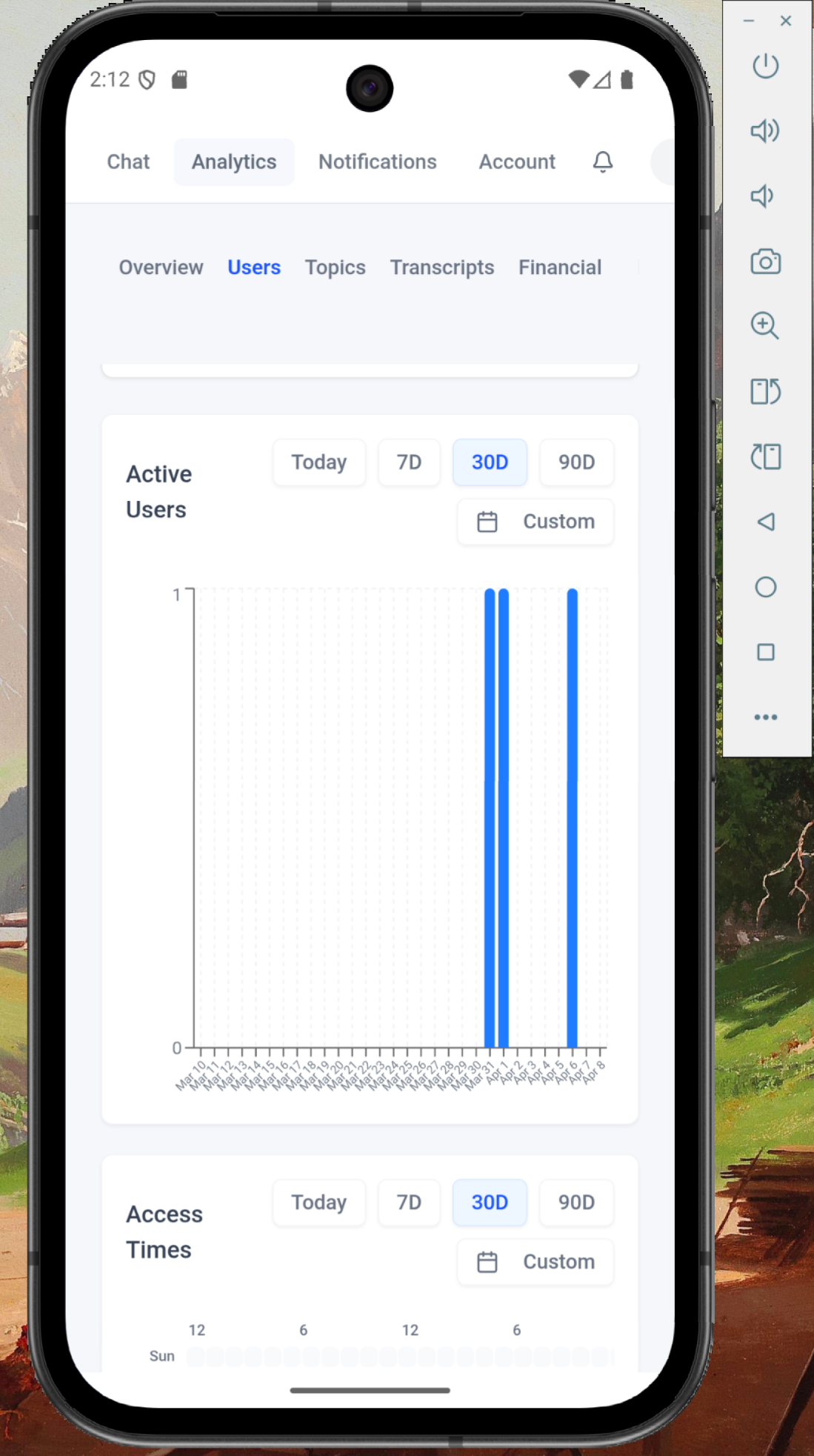 Build and run on Android emulators and real devices. ### Android Prerequisites - **Android Studio** with SDK and NDK installed - **Android SDK** (API level 24+) - **Rust Android targets**: ```bash rustup target add aarch64-linux-android armv7-linux-androideabi i686-linux-android x86_64-linux-android ``` ### Initialize Android Project ```bash iblai builds android init ``` This generates `src-tauri/gen/android/` with the Gradle project. ### Run on Android Emulator First, list available emulators: ```bash iblai builds device ``` **Always pick a device from the list.** Choose the most mainstream Pixel (e.g., "Pixel_9", "Pixel_8" — whichever is the newest in the list). Do NOT run without a device name. If `VERCEL_TOKEN` is set in `iblai.env`, deploy the frontend first: ```bash iblai deploy vercel ``` Then start the dev build: ```bash iblai builds android dev "Pixel_9" ``` ### Run on Physical Android Device Connect your device via USB with USB debugging enabled, then: ```bash iblai builds android dev --device ``` ### Build Release APK ```bash iblai builds android build ``` Or: ```bash pnpm tauri:build:android ``` #### Android CI ```bash iblai builds ci-workflow --android ``` --- ## macOS (Desktop) 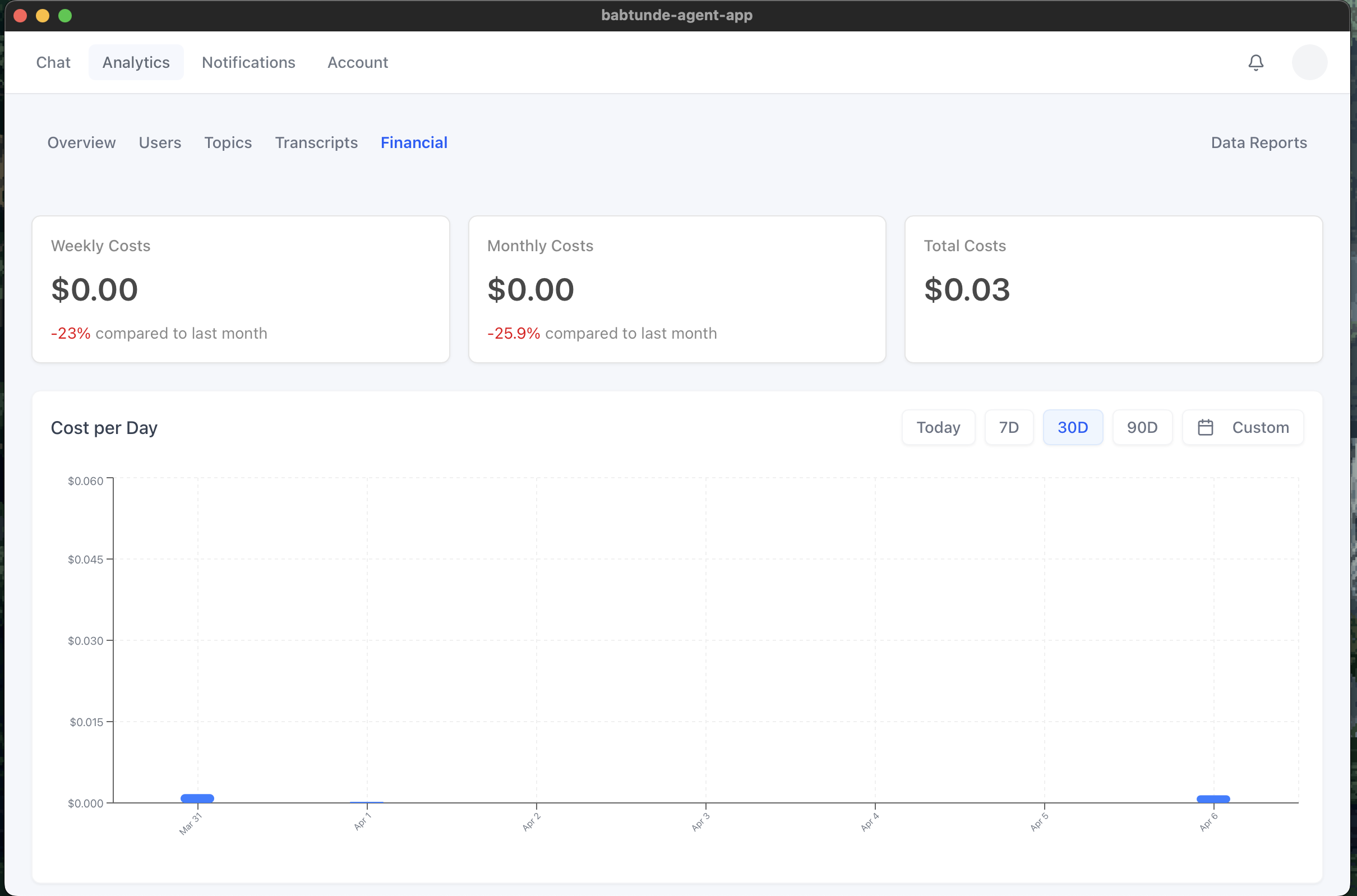 ### macOS Prerequisites - **Xcode Command Line Tools**: `xcode-select --install` ### Run in Dev Mode If `VERCEL_TOKEN` is set in `iblai.env`, deploy the frontend first: ```bash iblai deploy vercel ``` Then start the dev build: ```bash iblai builds dev ``` ### Build Release .dmg / .app ```bash iblai builds build ``` Or: ```bash pnpm tauri:build ``` #### macOS CI ```bash iblai builds ci-workflow --mac ``` --- ## Surface Build for Microsoft Surface tablets running Windows. ### Surface Prerequisites - **Visual Studio** Build Tools with C++ workload - **WebView2** runtime (included on Windows 11, downloadable for Windows 10) ### Run in Dev Mode If `VERCEL_TOKEN` is set in `iblai.env`, deploy the frontend first: ```bash iblai deploy vercel ``` Then start the dev build: ```bash iblai builds dev ``` ### Build Release .msi / .exe ```bash iblai builds build ``` The installer targets are configured in `src-tauri/tauri.conf.json` under `bundle.targets` (includes `nsis` and `msi` by default). #### Surface CI ```bash iblai builds ci-workflow --windows ``` --- ## Linux (Desktop) ### Linux Prerequisites - System dependencies (Debian/Ubuntu): ```bash sudo apt install libwebkit2gtk-4.1-dev build-essential libssl-dev libgtk-3-dev libayatana-appindicator3-dev librsvg2-dev ``` ### Run in Dev Mode ```bash iblai builds dev ``` ### Build Release .deb / .AppImage ```bash iblai builds build ``` #### Linux CI ```bash iblai builds ci-workflow --linux ``` --- ## All Platforms CI Generate CI workflows for all platforms at once: ```bash iblai builds ci-workflow --all ``` ## Summary of Commands | Task | Command | |------|---------| | Add Tauri support | `iblai add builds` | | Generate app icons | `iblai builds iconography logo.png` | | List available devices | `iblai builds device` | | **iOS** | | | Initialize iOS project | `iblai builds ios init` | | Run on iOS Simulator | `iblai builds ios dev "iPhone 16 Pro Max"` | | Run on physical iPhone | `iblai builds ios dev --device` | | Build release .ipa | `iblai builds ios build` | | iOS CI workflow | `iblai builds ci-workflow --ios` | | **Android** | | | Initialize Android project | `iblai builds android init` | | Run on Android emulator | `iblai builds android dev "Pixel_9"` | | Run on physical Android | `iblai builds android dev --device` | | Build release APK | `iblai builds android build` | | Android CI workflow | `iblai builds ci-workflow --android` | | **Desktop** | | | Run desktop dev mode | `iblai builds dev` | | Build desktop release | `iblai builds build` | | macOS CI workflow | `iblai builds ci-workflow --mac` | | Surface CI workflow | `iblai builds ci-workflow --windows` | | Linux CI workflow | `iblai builds ci-workflow --linux` | | All CI workflows | `iblai builds ci-workflow --all` | | **Deploy** | | | Deploy frontend to Vercel | `iblai deploy vercel` | | Remove Vercel dev URL | Remove `devUrl` from `src-tauri/tauri.conf.json` | ## Reference - [iblai-app-cli](https://github.com/iblai/iblai-app-cli) -- CLI source and templates - `iblai builds --help` -- full list of build commands
Related Skills
iblai-workflow
Add workflow builder components to your Next.js app
iblai-security-recon
Perform structured reconnaissance and attack surface enumeration for authorized penetration tests, CTF challenges, and bug bounty programs. Use when the user mentions 'recon,' 'reconnaissance,' 'enumerate,' 'attack surface,' 'subdomain enumeration,' 'port scan,' 'fingerprint,' 'asset discovery,' or needs to map a target's external footprint.
iblai-security-prompt-injection
Audit applications for AI prompt injection, agent security, and LLM permission boundary vulnerabilities. Use when the user mentions 'prompt injection,' 'LLM security,' 'AI security,' 'jailbreak,' 'indirect prompt injection,' 'prompt leaking,' 'AI red team,' 'LLM vulnerabilities,' 'AI input validation,' 'system prompt extraction,' 'agent security,' 'MCP security,' 'AI permissions,' 'AI privilege escalation,' or needs to secure any application with AI features, AI agents, or LLM integrations.
iblai-security-owasp-audit
Audit application source code against the OWASP Top 10 vulnerability categories. Use when the user mentions 'OWASP,' 'security audit,' 'code security review,' 'vulnerability audit,' 'find vulnerabilities,' 'secure code review,' 'security review,' or wants to check their codebase for common security weaknesses.
iblai-security-osint-recon
Gather and correlate open source intelligence from public sources for authorized investigations, threat intelligence, and attack surface assessment. Use when the user mentions 'OSINT,' 'open source intelligence,' 'digital footprint,' 'public records,' 'threat intelligence,' 'investigate a domain,' or needs to research a target using publicly available data.
iblai-security-incident-triage
Guide rapid triage and initial response to security incidents following NIST SP 800-61 methodology. Use when the user mentions 'incident response,' 'security incident,' 'triage,' 'we've been hacked,' 'breach,' 'compromised,' 'malware detected,' 'suspicious activity,' 'IOC,' 'indicators of compromise,' or needs help handling a security event.
iblai-security-disk-forensics
Analyze disk images and file systems for digital evidence recovery in forensic investigations and CTF challenges. Use when the user mentions 'disk forensics,' 'forensic analysis,' 'disk image,' 'file carving,' 'deleted files,' 'evidence recovery,' 'autopsy,' 'sleuthkit,' or needs to examine a forensic image.
iblai-security-dependency-audit
Audit project dependencies, frameworks, languages, and dev tools for known vulnerabilities, CVEs, and security anti-patterns. Use when the user mentions 'dependency audit,' 'npm audit,' 'CVE,' 'vulnerable packages,' 'supply chain security,' 'outdated dependencies,' 'known vulnerabilities,' 'security advisory,' 'package security,' 'framework vulnerability,' 'is this package safe,' or needs to check whether their stack has known security issues.
iblai-security-cloud-audit
Audit cloud infrastructure (AWS, GCP, Azure) for misconfigurations, excessive permissions, and security gaps. Use when the user mentions 'cloud security,' 'cloud audit,' 'AWS security,' 'GCP security,' 'Azure security,' 'IAM audit,' 'S3 bucket,' 'cloud misconfiguration,' 'cloud hardening,' or needs to review cloud infrastructure security.
iblai-readme
Write or refresh the README.md
iblai-rbac
Use when building, auditing, or extending ibl.ai role-based access control — default roles seeded by the platform, the action-definitions endpoint, and the SDK components (Admin, RolesTab, PoliciesTab) that render the Roles + Policies management UI. For agent-scoped sharing (editor / chat roles on a single mentor) see /iblai-agent-access; for mounting the host Account modal see /iblai-account.
iblai-project
Add the in-process Projects surface (project landing page — chat input + project files + instructions + assigned agents) to a Next.js app